Background Blur and Virtual Backgrounds Are Now Available in Voicli
Video meetings often happen wherever work happens.
That might be a home office, a shared workspace, a hotel room, a café, or simply a room you would rather not show during a professional conversation.
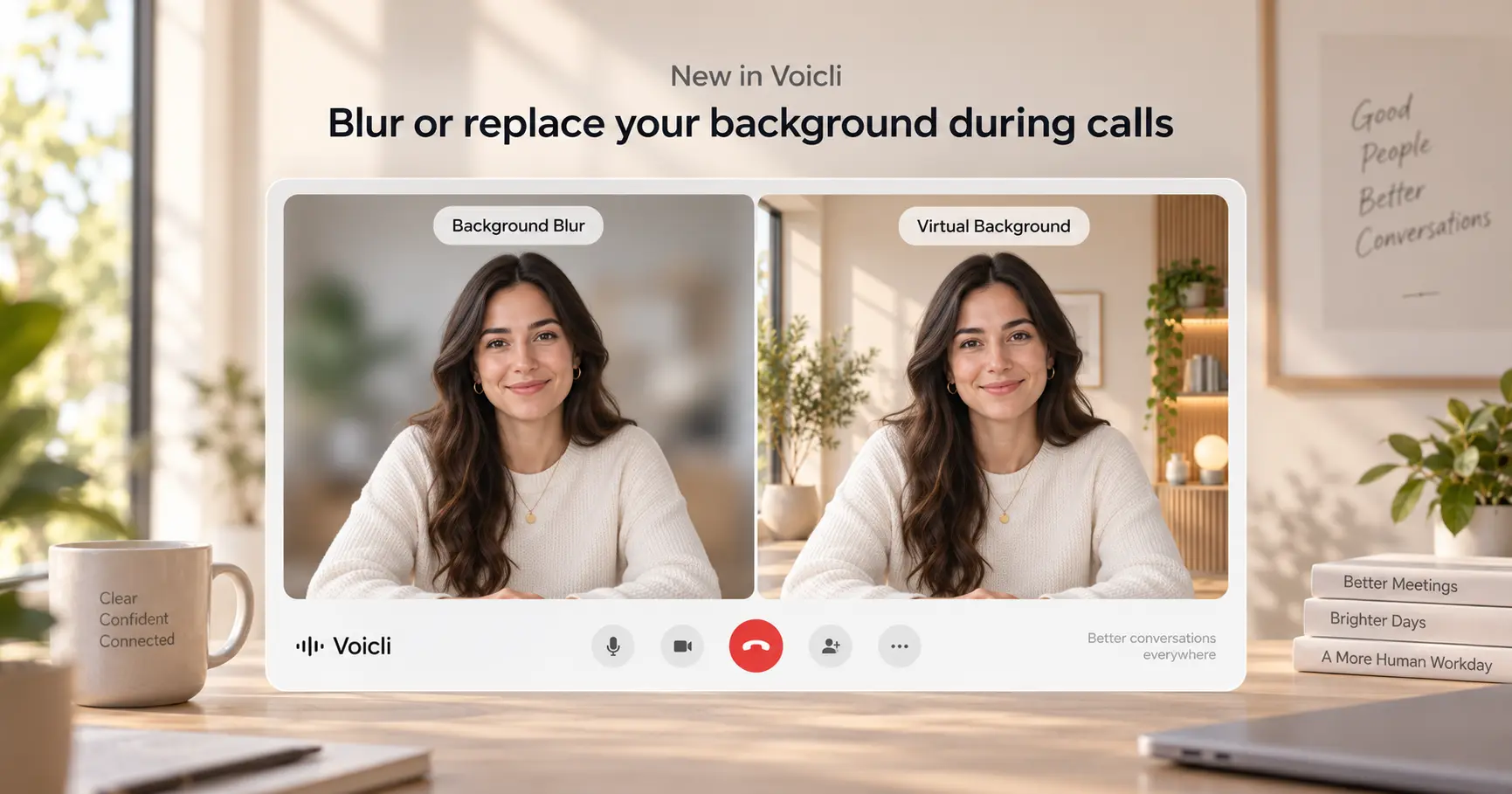
That is why Voicli now supports background blur and virtual backgrounds during video calls.
Participants can keep the focus on themselves instead of everything happening behind them — without leaving the meeting.
Whether you want more privacy, a cleaner appearance, or simply a more professional setting for an important international conversation, you can now choose how your environment appears on camera.
Blur Your Background During a Video Call
Sometimes you do not need to completely replace your environment.
You just want it to be less distracting.
With background blur in Voicli, the area behind you becomes blurred while you remain visible in the foreground.
This can be especially useful when:
- working from home;
- joining a meeting from a shared room;
- travelling;
- taking a call from a temporary workspace;
- your physical background contains distracting objects;
- you simply want more visual privacy.
Background blur creates a cleaner video without making the call feel artificial.
And because it can be enabled directly for a Voicli meeting, you do not need to prepare your room before every conversation.
Choose a Virtual Background for Your Meeting
Voicli users can also replace their real environment with one of our built-in virtual meeting backgrounds.
We designed the current backgrounds around one important principle:
the background should support the person on camera, not compete with them.
Instead of highly detailed landscapes or visually aggressive designs, Voicli backgrounds use neutral colours, natural lighting and asymmetric elements positioned toward the edges of the frame.
This leaves the centre relatively clean for the speaker.
Minimal
A bright, modern space with soft natural light, neutral walls and subtle architectural details.
The centre of the image remains almost completely free of objects, making Minimal a good option when you want a simple and distraction-free professional video background.
It works especially well for:
- business meetings;
- interviews;
- presentations;
- customer calls;
- international conversations.
Warm Room
A softer and more welcoming environment with natural materials, indoor plants and warm lighting.
The visual elements remain around the sides of the frame while the central area stays clean.
Warm Room is a good choice for conversations where you want to look professional without making the environment feel overly corporate.
It can work particularly well for consulting, partnerships, customer conversations and informal business meetings.
Home Office
A bright home-style workspace with natural light, plants and subtle furniture.
It gives the feeling of a real workspace while keeping the background controlled and visually balanced.
Home Office can be useful for remote professionals who want the comfort of a home-office setting without showing their actual room.
Cafe Light
A warm environment with wooden details, plants and soft ambient lighting.
The background has more personality while still keeping a large clean area behind the participant.
Cafe Light is designed for less formal conversations, networking calls, creative meetings and relaxed discussions where a traditional office background might feel unnecessary.
Office Light
A modern professional workspace with bookshelves, plants, natural light and neutral colours.
Office Light provides a more traditional business atmosphere and can work particularly well for sales conversations, interviews, client meetings and presentations.
It gives participants the appearance of a polished workspace without requiring a physical office.
Why Video Call Backgrounds Matter
A virtual background may look like a small video-call feature, but it solves several practical problems.
More privacy
Not everyone wants colleagues, customers or meeting participants to see their home or current location.
Background blur helps hide details without turning off the camera completely.
Fewer distractions
Objects, people or movement behind a participant can easily draw attention away from the conversation.
A blurred or virtual background creates a more consistent visual environment.
A more professional appearance
You cannot always control where an important meeting happens.
But you can control what other participants see.
A clean virtual background can make a spontaneous call from home or while travelling feel much closer to a professional meeting environment.
More freedom to work from anywhere
Remote work means meetings happen from many different locations.
Instead of finding the perfect wall every time you join a call, you can choose a background that fits the conversation.
Designed for Real Conversations, Not Just Appearance
Background controls are only one part of the meeting experience in Voicli.
Voicli is built for conversations between people who may not speak the same language.
Participants can communicate in their own languages while Voicli provides real-time voice translation and translated text during the meeting.
Adding background blur and virtual backgrounds helps make those conversations feel more natural and professional — particularly for international sales calls, remote teams, interviews, partnerships and cross-border meetings.
You can focus on the person speaking instead of their environment.
And more importantly, you can focus on the conversation instead of the language barrier.
How to Change Your Background in Voicli
During a Voicli video meeting, you can select the background option available with your camera controls.
You can then choose between:
your normal camera background, background blur, or one of the available Voicli virtual backgrounds.
This makes it easy to adapt your video to different meetings without changing your physical workspace.
Which Background Should You Choose?
There is no single best video meeting background.
It depends on the conversation.
For formal customer meetings or interviews, Office Light or Minimal can provide a clean professional appearance.
For remote-team conversations and everyday business calls, Home Office offers a more natural workspace feel.
For networking or more relaxed conversations, Warm Room and Cafe Light provide a softer atmosphere.
And when you want to keep your real environment visible while hiding unnecessary details, background blur is often the simplest option.
A Better Environment for Multilingual Meetings
A good video meeting experience is not only about audio and video quality.
It is also about removing small distractions that make communication harder.
With background blur and virtual backgrounds, Voicli users now have more control over how they appear during a conversation.
Combined with real-time voice translation, translated text and multilingual meetings, this brings us another step closer to our goal:
helping people communicate naturally, regardless of language or location.
Try the new background options in your next meeting on Voicli.
FAQ
Can I blur my background in Voicli?
Yes. Voicli now supports background blur during video meetings, allowing you to reduce visible details behind you while remaining on camera.
Does Voicli support virtual backgrounds?
Yes. Users can choose from several built-in virtual backgrounds designed for professional and everyday video meetings.
Can I change my video background during a meeting?
Yes. Background settings can be selected as part of your camera experience during a Voicli call.
Why should I use background blur during a video call?
Background blur can improve privacy, reduce visual distractions and create a cleaner appearance when you are joining a meeting from home, while travelling or from a shared environment.
What is the best background for a professional video call?
Neutral backgrounds with limited visual detail usually work best. Voicli backgrounds such as Minimal and Office Light are designed to keep the central area relatively clean so attention remains on the participant.