Voicli Update: Picture-in-Picture for Easier Multitasking During Video Meetings
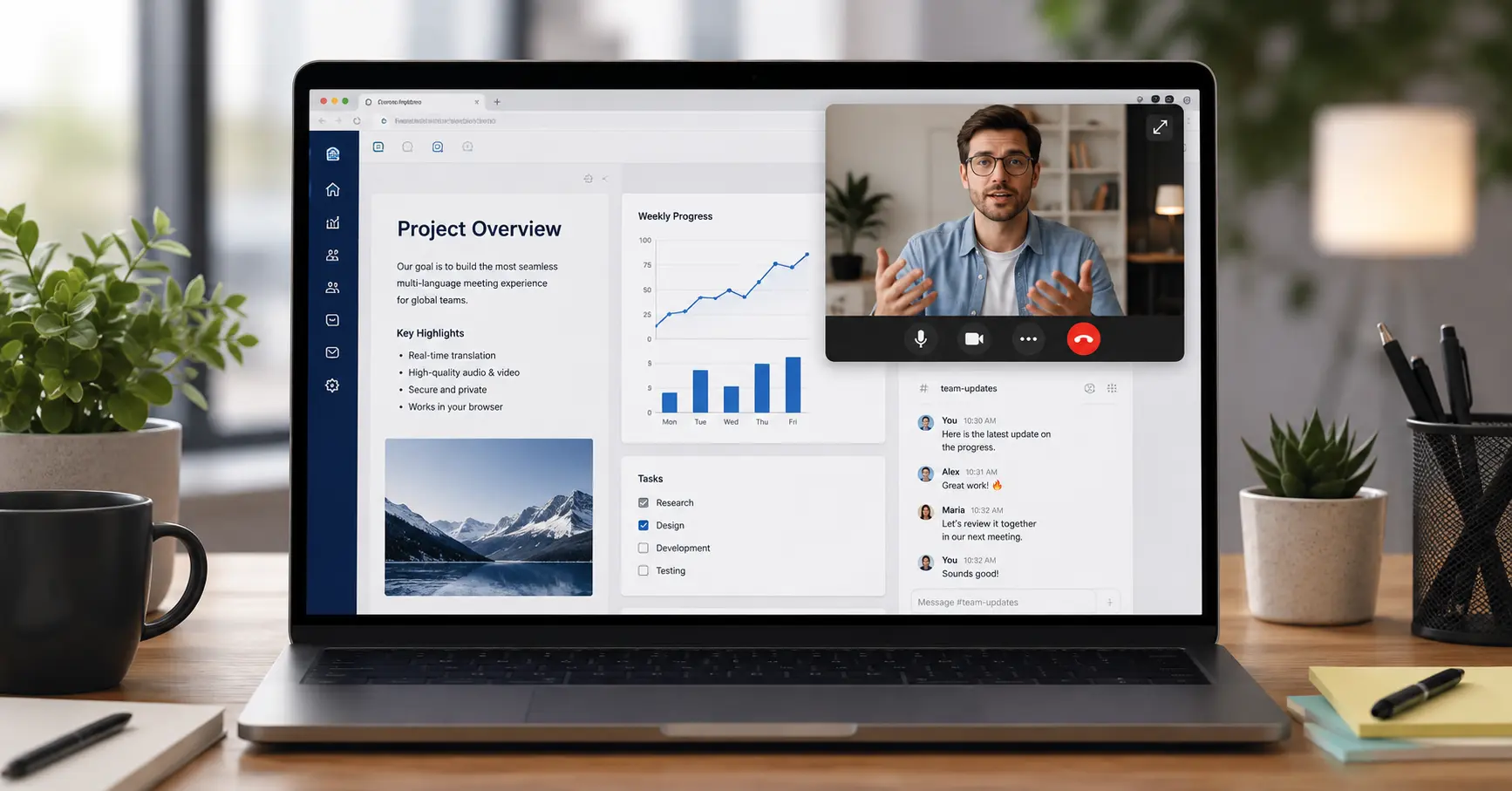
Video meetings shouldn’t require you to keep the meeting tab open on your screen all the time.
That’s why Voicli now supports Picture-in-Picture (PiP) — a floating video window that lets you keep important meeting content visible while working in other applications or browser tabs.
What Is Picture-in-Picture in Voicli?
Picture-in-Picture allows you to move part of your Voicli meeting into a small floating window that stays visible on top of other windows.
During a meeting, you can use Picture-in-Picture to keep the active speaker or shared screen visible while navigating away from the main Voicli meeting room.
This means you no longer need to dedicate your entire screen to the meeting.
You can continue working while still keeping an eye on the conversation.
Work in Other Apps Without Losing Sight of the Meeting
Many video meetings happen alongside other work.
You might need to:
- check an email while someone is speaking;
- review a document being discussed;
- work with a CRM or project management system;
- take notes in another application;
- search for information in another browser tab;
- follow a presentation while working with related materials.
Previously, doing this often meant switching back and forth between the meeting room and your other applications.
With Voicli Picture-in-Picture, the meeting can remain visible in a floating window above your other work.
You can leave the main meeting tab and continue with another task without completely losing visual contact with the meeting.
Keep the Speaker Visible While You Work
For conversations where seeing the other person matters, you can keep the speaker's video visible in a separate floating window.
The Picture-in-Picture window stays on top while you work elsewhere on your computer.
This can be particularly useful during longer meetings, interviews, consultations, international calls, team discussions, and remote collaboration.
Instead of choosing between watching the meeting and doing your work, you can do both.
Keep a Shared Screen Visible Outside the Meeting Room
Picture-in-Picture is also useful when someone is sharing their screen.
You can keep the shared content visible while opening another application or browser tab.
For example, if someone is presenting a document, dashboard, website, design, or other material, you can follow the shared screen while simultaneously working with related information on your own computer.
This makes screen sharing much more practical for meetings where participants need to actively work rather than simply watch.
Better Multitasking for International Meetings
Voicli is designed for multilingual communication, allowing participants to communicate across language barriers with real-time voice translation.
Picture-in-Picture adds another layer of flexibility to these conversations.
You can participate in a multilingual Voicli meeting while continuing to use the applications you need for your work — without keeping the full meeting interface in front of you throughout the entire call.
Your meeting becomes part of your workspace instead of taking over your workspace.
A More Flexible Way to Meet Online
Video conferencing shouldn't mean staring at one browser tab for an entire meeting.
With the new Picture-in-Picture feature in Voicli, you can keep the speaker or shared screen visible in a floating window, move to other applications, and continue working while staying connected to the conversation.
It's a small interface change that can make a big difference during long meetings and everyday remote work.
Try Picture-in-Picture in your next Voicli meeting and keep your conversation visible while you work.
Frequently Asked Questions
What is Picture-in-Picture in a video meeting?
Picture-in-Picture is a feature that displays video or shared content in a small floating window. The window can remain visible while you use other browser tabs or applications.
Can I use other applications during a Voicli meeting?
Yes. With Picture-in-Picture, you can move away from the main meeting interface and continue working in other applications while keeping relevant meeting content visible.
Can I keep the speaker visible while working in another window?
Yes. The speaker can remain visible in a floating Picture-in-Picture window while you work elsewhere on your computer.
Can Picture-in-Picture be used with screen sharing?
Yes. Shared screen content can be displayed separately, allowing you to follow what another participant is presenting while working in another window.
Do I need to keep the Voicli meeting tab open on my screen?
You don't need to keep the main meeting interface in the foreground. Picture-in-Picture allows meeting content to remain visible while you work elsewhere.